Custom renewals
In the course of managing compliance records for your business, you will likely encounter compliance records that require periodic renewal.
For example, a given security check may only have a validity period of 2 years, after which it must be renewed (for another 2 years), etc.
Many types in the OurCompliance platform have a defined renewal period which can be used during record closure to set up the expiry date for the next compliance period.
However, you may wish to defined your own custom renewal periods for specific compliance record types.
By adding a custom renewal, you can specify, in days, a new default that can be used as the next date offset when defining the validity period of the renewed compliance record.
Configuring custom renewals
Under the given business dashboard, navigate to the Options tab.

Select Edit custom renewals.
You should see a list of all of your current custom warning ranges (on first load this list will be empty).
Navigate to the Options tab.
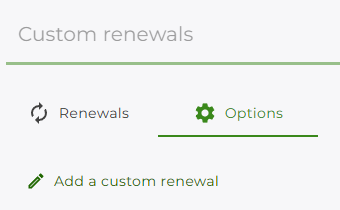
Select Add a custom warning range.
Under Compliance Record Type, search for the compliance record type you wish to configure.
Set the number of days for the custom warning via the Days value.
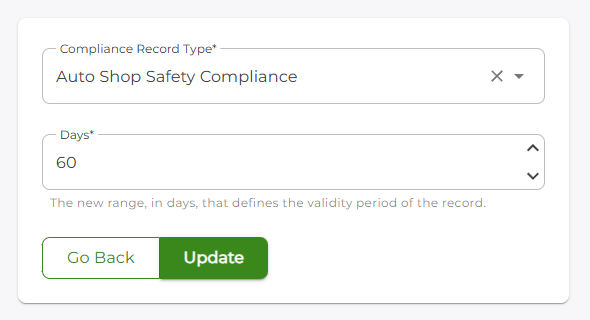
Click the Update button to save the custom warning range.
You should be returned to the Renewals tab, which will now display the newly-added renewal entry.
Deleting a renewal
Under the given business dashboard, navigate to the Options tab.
Select Edit custom renewals.
You should see a list of all of your current custom renewals.
Locate the entry you wish to delete and click on the delete icon
 .
.You will be presented with a deletion confirmation; select the OK button to confirm deletion of the entry.